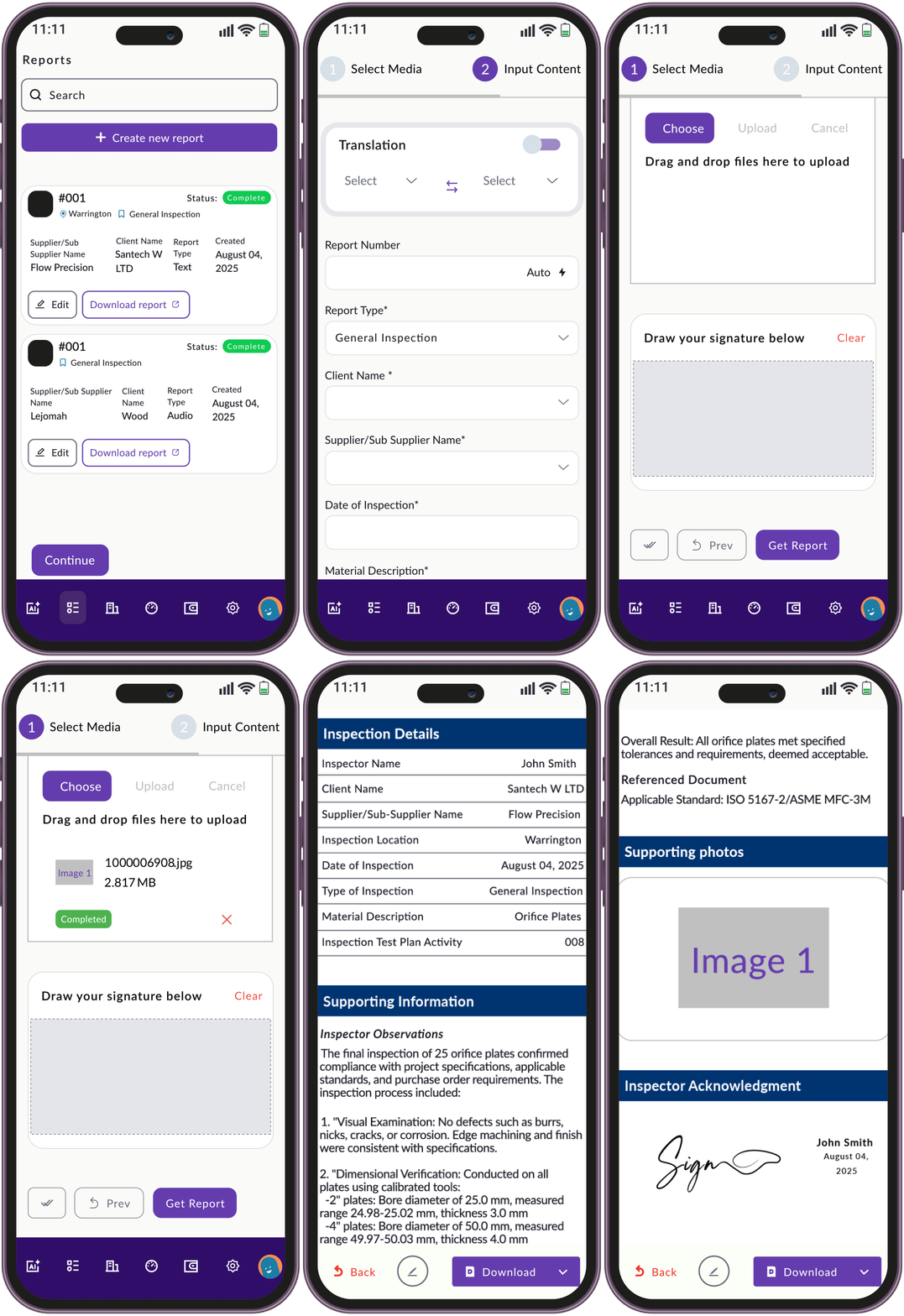
RightReport takes your site notes, voice memos, and photos — and turns them into a clean, professional report in minutes.
No formatting headaches. No writing from scratch. Just click, review, and send.

Create or update reports on the go.
1
Upload your notes, voice memos, photos, or checklists from site inspections.
2
RightReport turns your input into a clean, professional report using the standard format — with grammar fixes, structure, and clean up.
3
Make any quick edits or add context. You stay in control.
4
Download your report as a PDF, share a live link, or email it directly to your client — all with one click.
What is RightReport?
RightReport is an AI-powered tool that helps freelance inspectors turn voice notes, site photos, and checklists into polished reports — fast.
Do I need to install anything?
No installation needed. RightReport is fully web-based and works on desktop and mobile browsers.
Can I use my client’s custom report template?
Yes — if your client’s report template is in Microsoft Word. You’ll need to use the RightReport Word add-in, which allows you to transfer your inspection findings directly into your client’s existing Word template while keeping their required format, layout, and branding.
What’s included in the free trial?
You get 7 days of full access — including voice-to-text, translation, media uploads, and PDF export.
Can I export my reports?
Yes. You can export your report as a PDF, share a live link, or send it directly via email — all included in the Standard Plan.
Is my data secure?
Absolutely. All data is encrypted, and your reports are private to you.
Who is RightReport for?
Freelance inspectors and contractors in oil & gas, construction, and engineering industries who want faster, more consistent reporting.